Showing posts with label Intro. Show all posts

Monday, August 3, 2020

Excel Based Reporting. Velixo vs GI

Hi Everyone,

Please note a bright example of how OData in Acumatica can be used by Excel based reports.
 
This demo also discusses a new Excel feature Dynamic Array, that is something worth to look at.

So, please take a look at Velixo, which is Excel based Acumatica tailored reporter (and not only).

They have recently added Single Sign On (SSO).

Have fun 


All the Best,
Sergey.

Sunday, October 27, 2019

Changing Acumatica Home Landing Page in 2018R2

Hi Everyone,

Just noticed that in 2018 Acumatica sets landing page as a complex one with multiple links and unnecessary information for some of my customers. This is what comes as default when you click on your company logo:


If your customer for example does not have access to the Internet or for whatever reason wants not to see this page but instead have immediate choice of setting it - I found a way to set landing page as User's profile. So, if user did not set the Home Page for (it)self then system will suggest it for the beginning. Here is how you can do it.

1. Make sure you have access to the database or can execute  a script there.
2. Run the following script against your database:

update sitemap set Url = '~/Pages/SM/SM203010.aspx' where Url = '~/Frames/Default.aspx'

3. Restart your IIS server.
4. Check on opening the system landing page becomes now User profile:

5. Here user may change the landing page as desired. What I did is changed to Account Summary in GL, so next time you click on Company Logo, it will navigate you there.

Please note that you can technically change the page for each module or per company if you modify the above script accordingly.

Addition for 2020R1. Above method does not change the landing page so what you can do is to replace Default.aspx file in the Frames folder with the one from the older versions or use below suggestion from comments.

All the best,
Sergey.

Sunday, September 9, 2018

Need an Acumatica Developer in Singapore.

Hi Everyone;

IF

You are a good developer in Acumatica framework
AND
Have 3 or more years of experience in developing Acumatica screens and functions
AND
(I know you OR (heard about you from Acumatica development team AND what I heard was positive))
AND
You are willing to work in Singapore

THEN
Please send me an email (you should know it) or just reply here with the request.

ELSE
Thank you, Sergey.

Monday, October 13, 2014

Configuring Affinity Mask at IIS Server. Acumatica CPU Licensing.

Dear Partners,

There were many questions recently on how to properly configure the server to match the license purchased from Acumatica.

Under our VAR agreement, the partner is responsible for proper server configuration. Such if customer bought 4 CPU cores, there must only be 4 CPU cores allocated for the Acumatica on IIS server Application Pool. This is not just a legal requirement, that is stated in our product EULA, this is a subject for Acumatica support eligibility and overall stability of the system. 

To address this important question we should keep in mind:

A. Acumatica License Version

B.A. Acumatica Edition (Departmental 2CPU, Divisional 4CPU or Enterprise 8CPU) for versions prior Acumatica 4 
OR
B.B. Acumatica License Size (S 2CPU, M 4CPU, L 8CPU, XL 16CPU)

C. Number of actual CPU cores at your IIS server

Lets assume few scenarios: 

Scenario 1. Your IIS server is sitting on the same hardware box with the SQL server. Total number of CPU cores at the hardware machine is 8 (Eight). License purchased from Acumatica is Perpetual Departmental, meaning you got license for 2 CPUs only. How should we configure the server?

Vital configuration part in this scenario will be to allocate TWO out of EIGHT CPU cores for Acumatica Application Pool. CPU cores are counted from 0 to 7. So lets allocate Core 7 and Core 6 for Acumatica instance. Mask to cover this scenario should be 11000000 in a binary notation or 192 in decimal. All we have to do to stay on a legal ground and to get support from Acumatica and not to risk loose our license is:

Call up IIS Manager from the Main Panel

 Find what is the Application Pool Name for our Acumatica Web Site


Now we should change the Mask settings for that Application Pool


After you choose Advanced Settings for the pool, please modify these settings according to our mask choice


Scenario 2. Your IIS server has 4 CPU cores, and you have purchased the license from Acumatica for M size, which is 4 CPU cores.

No configuration is necessary on the server as number of CPU cores purchased and available on the server matches.

Please note Scenario 2 is the easiest for the End User to provide assurance that there is no license violations or misuse.

All the best,

Sergey.

Sunday, June 22, 2014

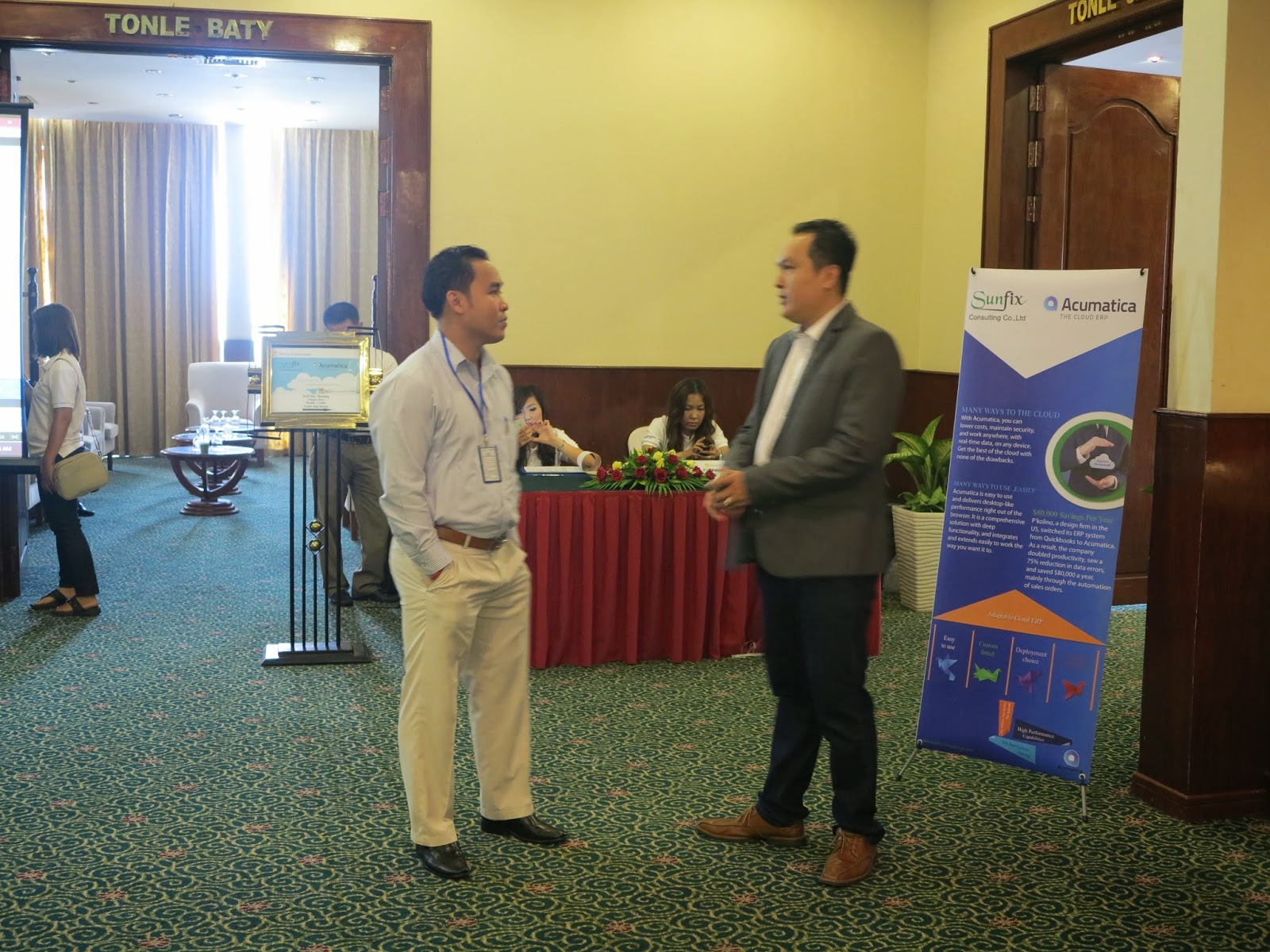
Cloud Concept. Cambodia.

Hi Everyone,

Surprisingly Cambodia market grows very fast, and Cloud is much appreciated there.
Wanted to share some pictures from recent event in Phnom Penh.


Thanks to SunFix and personally Kosol Sieng.

All the best,
Sergey.

Friday, June 13, 2014

Acumatica seems to be the Fastest Web based ERP

Hi Everyone,

Let me propose a contest. Lets measure web based ERPs performance.
After we made multiple installation, demos and research, it seems that Acumatica is the fastest.
Not just fastest but far ahead of any other ERP that uses your browser as a mean of data entry.

I know, this post may look provocative, but I wish to see fair competition results!
Same as we see nowadays in Brazil World Cup :) fair play guys!
Contest please!

Rules are simple.

1. Take the file with 1000 lines of General Ledger transactions.
2. Import it into your ERP using either web services or any data import you have in it. Copy paste will do if you have it in your ERP.
3. Save the transaction.
4. Measure the result.

Below is the video on how it is done in Acumatica. Please take note I purposely make this batch imbalanced to test import process validation. As you may see at the end Debit and Credit for the batch is calculated properly and document require correction for the difference.

Here we go:

If you accept the challenge, please post at the comment your results. Thanks!

All the best,
Sergey.


Thursday, April 24, 2014

Adding Fixed Asset with History to FA Module.

Hi Everyone,

There was a question recently from one of the partners.
How to add asset that was depreciated previously to the system.
Here is a guide:

When adding asset with the existing accumulated depreciation we should indicate this fact at the moment of input. Let me demonstrate based on an example.

Adding "Land" Asset to a Fixed Asset module. Useful Life is 39 years, land was purchased 2 years ago. Original purchase price was 16,929.25 $. Accumulated depreciation to date is 868.17 $ for 24 month.
First of all, I assume we have added this asset to our books already, either by GL or via AP. We are not going to do any postings for open balance for such asset from FA->GL.

1.     Make Sure you have added Accumulated Depreciation for the asset for CR 868.17$ to AccDep A/C in GL, make sure you added DR 16,929.25$ for AssetCost A/C in GL, make sure you added DR 868.17 $ to Depreciation Expense A/C in GL. 


2.     We need to switch off GL Update to make it possible to add depreciation to the asset without additional postings to GL.


3.     At the main FA screen enter the asset particulars as below. Make sure you indicated Last Depreciation period of 02-2014 and Accumulated Depreciation of 868.17$


4.     Release the asset from Hold. Save. Look at the transaction History Tab. It created Purchasing, Recon and Depreciation Automatically. These transactions will not be going to GL.


5.     Now let’s take a look at Depreciation History Tab before and after Action->Calculate Depreciation.


After


6.     Now we can switch back GL Posting in FA Preferences Screen and try depreciating asset for 03-2014.


After transaction is being released we can see the result, sorry I skipped one month so my depreciation became doubled for that month J. Next month it will be back to normal.


Here it is


Now let’s take a look at the Balances


All the best,

Sergey.

Wednesday, January 15, 2014

Customer Portal on top of Acumatica ERP

Hi Everyone,

In Acumatica version 4.1 we have added portal functionality. Now is possible to give access for our customers or vendors, so they can see their orders or other information from the ERP with the access limited to their role.

Here is the video made by Doug Johnson, I found very useful, for the portal setup:


Basically to set it up you need to have Running Acumatica ERP instance.
Then you can add portal functionality to it.
If you have Acumatica with versions earlier than 4.1, you can first upgrade it to 4.1 using the same Wizard, then add portal.

In order to fill it with relevant inquiries, please create or reuse existing queries.
You can refer to some of my previous articles on how to create Inquiries.
For example this one:
Active Users

Then this inquiry can be added to the Portal Site map.

Please try and advise if any issues configuring the Portal.

All the best,

Sergey.

Saturday, August 31, 2013

Changing Login Picture.

Hi Guys,

Mike inspired me today with a good idea for a blog.
At the last day of summer, I would like to re-brand Acumatica Cloud ERP login picture.
From what it looks now:


You already know that with version 4.1 login frame auto refreshes every time.
We have pool of seven predefined pictures. They are kept here:


At present, the only option is to replace these images with what we want:


And here is the result:


The only problem is, every time we upgrade Acumatica, system will overwrite these pictures, so for the time being, have to copy them over from backup location. In the future we will make them stay.

All the best,

Sergey.

Wednesday, August 21, 2013

Acumatica 4.1 General Availability Release. Get it NOW !

Hi Everyone,

We just published download links on our portal for Acumatica 4.1
Please try this amazing release.


Cool features available now:

1. Multiple files upload, drag and drop.
2. Filters on the grids per column.
3. And YES, Customer Portal !
4. Inquiries are now exporting DYNAMIC Excel. So, forget about reports :) Create Excel, pivot etc.

Try it, it is awesome.

All the best,

Sergey.

P.S. Somehow I realised I spend most of my time sitting at the login page and clicking refresh....so nice....

Saturday, August 10, 2013

Choosing the right Edition. Number of CPU cores demystified.

Hi Everyone,

Sure you've seen this story.

Prospect: How to convince my boss (CIO etc.) that we are buying the right edition of Acumatica Cloud ERP?
Sales guy: Errr, mmmm, well... you should trust me...

Prospect: Ok, just explain why do we need 4 CPU not 2? We only have 3 companies, we can get 2 CPU, right? Why do you offer us 4 CPU license????
Sales guy: Errr, mmmm, well... where's the hell is the tech guy...?

So, here is a helping hand to our sales team.

What I did - took one of our big customers and analyzed the database transactions, users and payload.
It is a Departmental Edition with 2 CPUs for WEB server, 2CPU for SQL server, 4GB shared RAM. Sitting on a VERY FAST Hyper-V virtual machine (that is sharing SQL) and supplied with SSD hard drives. So we can say these CPU are ideal CPU for calculation of the capacity limits. :)

If you are not interested in technical part, just scroll till the big font area, then later just copy paste pictures to your PPTs when needed, especially the skyscrapers one.

The rest of the team can stay ;)

First of all, what WEB server CPU does at Acumatica  - it processes Business Logic.

If it does not ring the bell... CPU is processing what you have entered into the screen, then validating that input, calculating some formulas and finally sending data back to your browser or to the SQL database.

Analogue, back to 60th, CPU is - the engine in your electrical "typewriting machine", and if it runs slow, even when you typeveryfast it willnotprocess the data, but will either queue them and type after you finished pressing buttons (good typewrites) or simply jam the letters :) (lousy typo). Well, of course Acumatica is a good one, it never jams! :)

Back to the test, here is the daily transactional load for the past two years.


I can see clear peeks at some days up to 50,000 transaction lines per day. While the other days it can be less that 100. So our CPU must be able to withstand these peaks. 50,000 per day could be over 8 hours equally or just in 1 minute :). SO these aggregated data are nice looking but can't determine what CPU actually does and how powerful it should be.

Lets take a closer look at transactions per minute, to see actual peaks.


Data became more realistic, at the day highlighted in red we had some peaks when users entered 6000 to 8000 transaction lines per minute. Lets take a closer look at that specific day.


And now lets put the first peak under the microscope.

Here we can see that Acumatica processes data with 5,000 records per minute rate, placing 5000+5000+4000+1000 into the queue, within 3 minutes. So the actual processing rate would be something around 15,000 transaction lines per 3 minutes, or about 5,000 transaction lines per minute, when data supplied in Large chunks.

At the same time, we can see that at 9:48PM system processed 8,000 records at peak. At that time amount of data was smaller or, may be CPU was less loaded with other non transactional tasks.

Anyway, for us it is a very good indication, Acumatica can process 5,000 to 8,000 transaction lines (rows) per minute. For 2 CPUs it will be 2,500 to 4,000 transaction lines per CPU per minute. Here we can break it down to per second and will get gold:

One CPU can process 40 to 65 transaction lines per second at max.

Of course I assume this is a dedicated CPU core.
It can also be Virtual, but Server will EAT IT UP FULL om-nom at such peak loads. So it will become Virtual ate Real. :)

One of the examples could be Distribution based company processing large volume of Sales every day. So what it means to this company: if sales order is around 20 lines each, then:

Single CPU can process 2 - 3 Sales order per second. Max. 

Lets now think about users prospective, how many users can work in the system.
Answer is - This really - DOES NOT MATTER :) The only thing that matters is how many transactions these users do.

But, anyway, going to my example, here is the number of NAMED USERS worked with Acumatica during company life. We do not license by those, but I was just interested how many users were creating such a traffic jam :)


Well we can see that at peaks there where 40-45 physical persons in the office :) using Acumatica. Very good. We can clearly see the weekends :). Notice Implementation stage :). And then Go-live and after go-live. As well as steady operations part later. Nice... Looks like a comb...

Another metric we can use. Number or Operations. Which is, log in, open screen or report. I am not talking about operations within the screen which can be treated as transaction, but, well, errr, mmmm. :)
Operations like JUST OPEN SCREEN OR REPORT OR HELP etc.


What I see here - is how difficult was 2012 Year Closing process :) And when team went on holiday after it ;) Look at it in details, see how difficult it was. Below are Operations Per Day.


Some days were 6,000 screen openings and logins PER DAY. By just 30 people. 200 screens were opened by a SINGLE person per day in average. Think about it...

Conclusion is:

Number of Users DOES NOT MATTER AT ALL, the only thing that is important NUMBER OF TRANSACTIONS at its PEAK.              PER SECOND.

Single CPU can process 40 to 65 TRANSACTION LINES per second.

Single CPU can process 2-3 Sales Order 20 lines each per second. 

For distribution based business, translated to Editions it will be:
Departmental = 4-6 SO per second,
Divisional 8-12 SO per second,
Enterprise 16-24 SO per second.

For other industries just take peak load, calculate number of transaction lines per second, compare with what mentioned above.

Well, all this in assumption that you will not design other CPU hungry logic on reports or BI.
With more data available for analysis from our customers I will be able to estimate the impact of it as well.

Cheers,

Sergey.

Tuesday, August 6, 2013

Upcoming Training at the Partner Summit

Hi Everyone,

We are now performing final tune up for our Development training sets, that will be later presented on the Summit.

Here is the class we do right now for one of our partners in Vietnam. Team is extremely knowledgeable having experience with major conventional ERPs and cloud based Acumatica ERP.
Enjoying the Acumatica Framework and Event Model explained in details.


Outstanding job done by Ruslan Devyatko, our company Technical Evangelist.


All the best and see you on the Acumatica Summit 2013

Sergey.

Wednesday, July 3, 2013

Some New Features in version 4.1 Cloud ERP

Hi Everyone,

Just wanted to share some of the UI and Functional enhancements to come in version 4.1
Some are still under consideration and test, let me know if you like/don't like.

1. Maintenance Screen for all Filters from the system. Including Grid Filters. Basically to organise filters created by users in numerous screens, so administrator or even user himself can find/delete/amend one quickly.


2. Grid Column Filters. User Interface for columns on the grid. This includes quick filters, much richer functionality.


3. Grid Column Sorting. Enhanced sorting options per column.


4. Payment Charges in Financial Modules. Its when we need to bank or other charges immediately when payment received or made. Cool feature, no need to do it via W/O or Cash manager any more.

And here is how it's GL would look like


5. Much nicer report layouts in HTML format.


Please post your comments until we have finalised the release.
And don't get me wrong there are many more enhancements, these are just a tip of the ice... cream ;)

All the best,

Sergey.

Sunday, June 2, 2013

Bundle for Sales. Recognize the Margins by Item. Non Stock Kits.

Hi Everyone,

Got a question from one of the clients: "What if we want to bundle up few items together, then position it as a single set. But internally have to recognize costs and revenue per item."

Answer: This is possible by utilizing Non-Stock Kits. They will behave as a normal Item when we sell it, but when shipping it will explode into components. Revenue will also be recognized by item.

Below are simple steps to configure and process such items on a demo system.

Create a Kit add components to it. Please take note Non Stock option should be checked.


Receive components to Warehouse.


 Set the price for the Kit


 Update it from Pending to become Effective, here we can say for which month our Promo is active.


 Create and Print a Sales Order.


Please note that in Sales order, system shows us a Bundle as a single product.

Now we generate shipment and after confirmation see the inventory part of the transaction, please note servers are serialized therefore displayed separately one by each line in GL transaction.


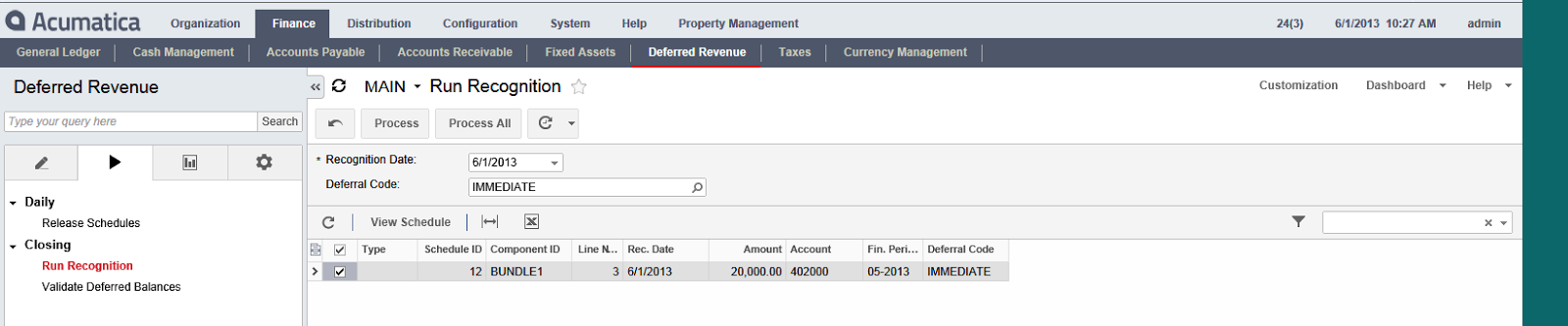
Now is time to Print the invoice and check the AR part. Which I made to be Deferred Revenue until customer pays us for the goods.


Now lets enter payment and recognize our revenue


In my case I use the same Sales Account for each item, but we can split it based on our company policy, and indicate at the Inventory Item master level.

All the best,
Sergey.